
Show traffic trends alongside page updates.
Your Google Search Console charts show your pages’ publication and modification dates. Albert’s reports identify dormant pages, declining pages and pages with low click-through rates.
7-day free trial · no credit card
 Loading the demo…
Sound familiar
The monthly report takes a day of screenshots.
No way to place an update on the traffic curve.
“What is the blog for, anyway?”
With SEOQuantum
- 1
Your Search Console charts
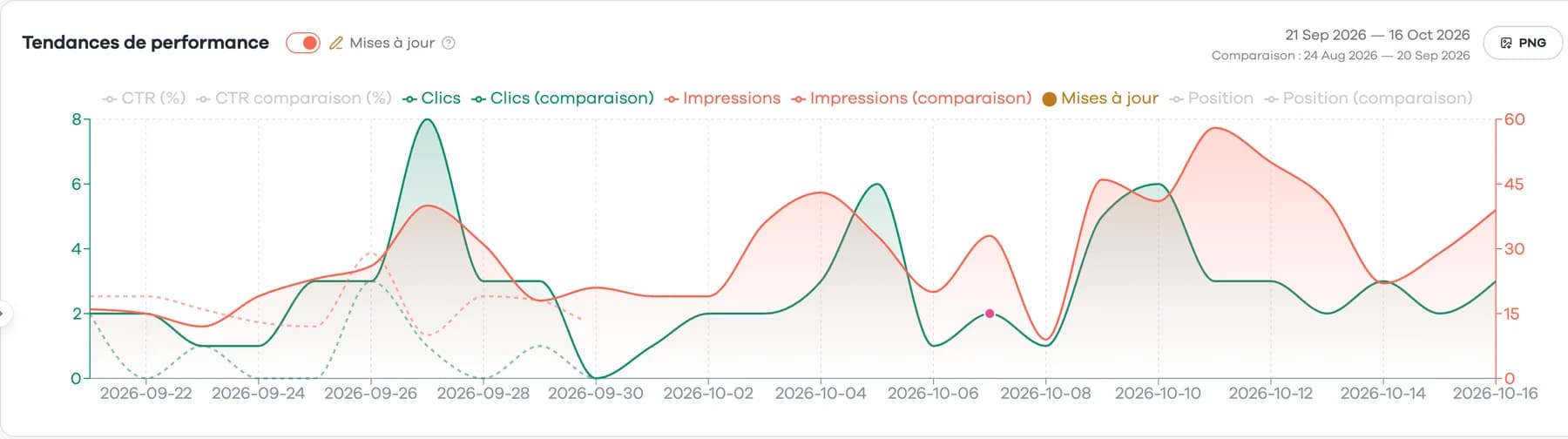
Clicks, impressions, CTR and position for the page, over 28 days, 3 months or 12 months, compared with the previous period. Up to 16 months, with a year-over-year comparison: in your workspace's Search Console view. Here, the window-film article: 75 clicks over 28 days, versus 33 in the previous 28 days.
- 2
Your pages' dates, on the curve
The page's publication and modification dates appear as pink points on the curve. Your workspace's Search Console view adds the “SEOQuantum start” marker (when your workspace was created). They are reading cues, not an exhaustive history of fixes.
- 3
Albert's reports
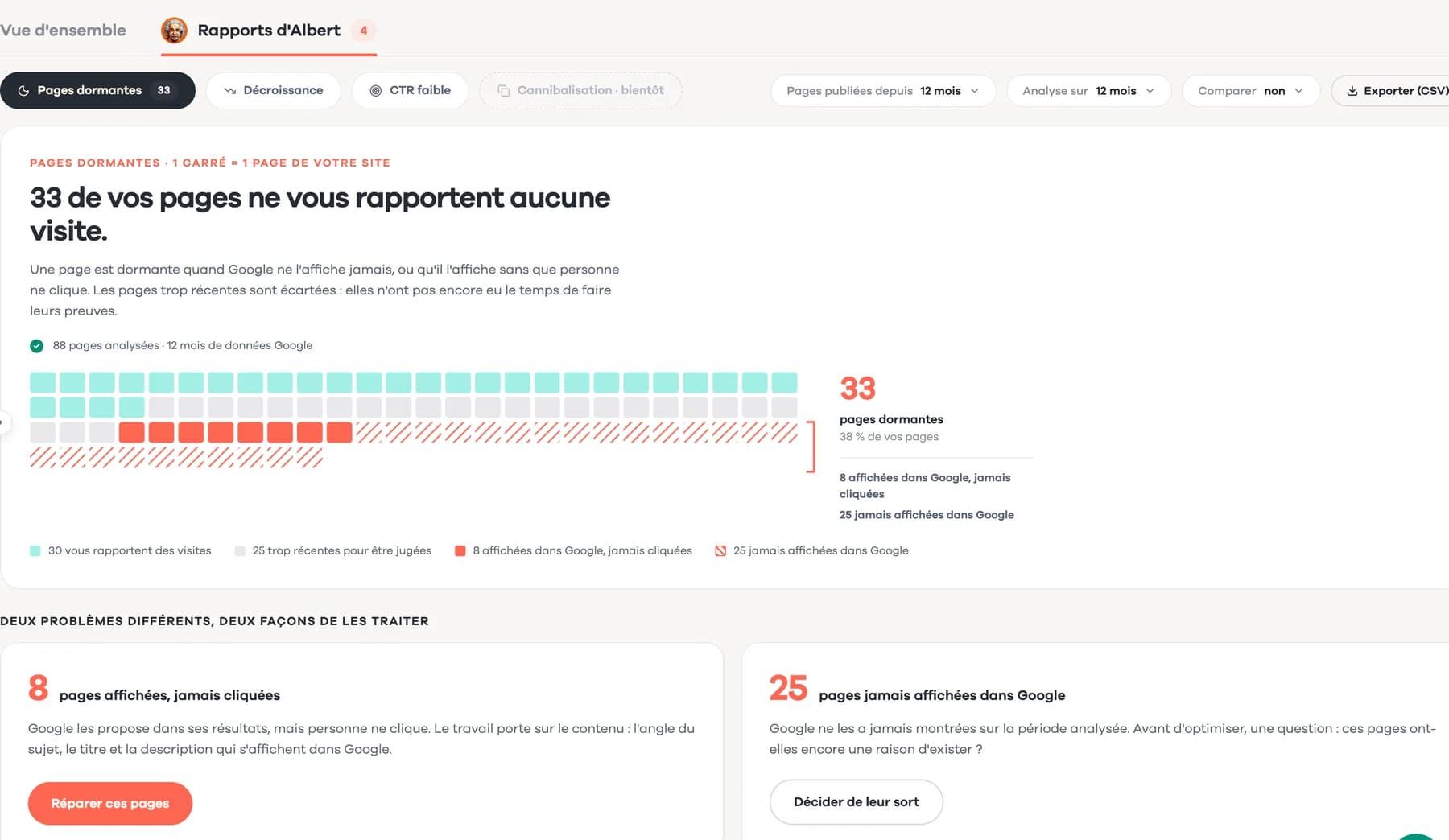
Three diagnostics computed on your data, by group of pages: dormant pages, declining pages, low click-through rate. Each lists the pages concerned, ready to open.
What the reports compare
Dormant pages: optional comparison with the previous period. Declining pages: previous period or the same period a year earlier. Low click-through rate: over the chosen period.
Questions
1Does it measure the revenue of my content?
No. SEOQuantum tracks organic traffic (clicks, impressions, position). For revenue, cross-check with your analytics tool.
2Do changes made directly in my CMS show up?
Yes, once their date is retrieved: the curve shows your pages' publication and modification dates. A fix left in a draft does not necessarily appear.
3Does a point on the curve prove a fix worked?
No. It marks the date of an update. Subsequent changes may have other causes, such as seasonality, a Google update or competition.
4Which periods can I compare?
In a page's panel: 28 days, 3 months or 12 months, against the previous period. In your workspace's Search Console view: up to 16 months, against the previous period or the previous year. A comparison is only possible if your Search Console already covers the reference period.
Go further
Prepare your next leadership meeting.
Connect your Search Console: your curves and your pages' dates, in one place.
7-day free trial · no credit card